Nexus Quest Tools / WoW Forever
Install with WowUp
Add Nexus Quest Tools from GitHub without waiting for it to appear in search. Once installed, WowUp can check for new releases for you.
Paste this into WowUp, not into the game.
01 / Choose your game
Open Get Addons
In the WowUp desktop app, select WoW Forever from the game dropdown. Open Get Addons and click Install from URL.
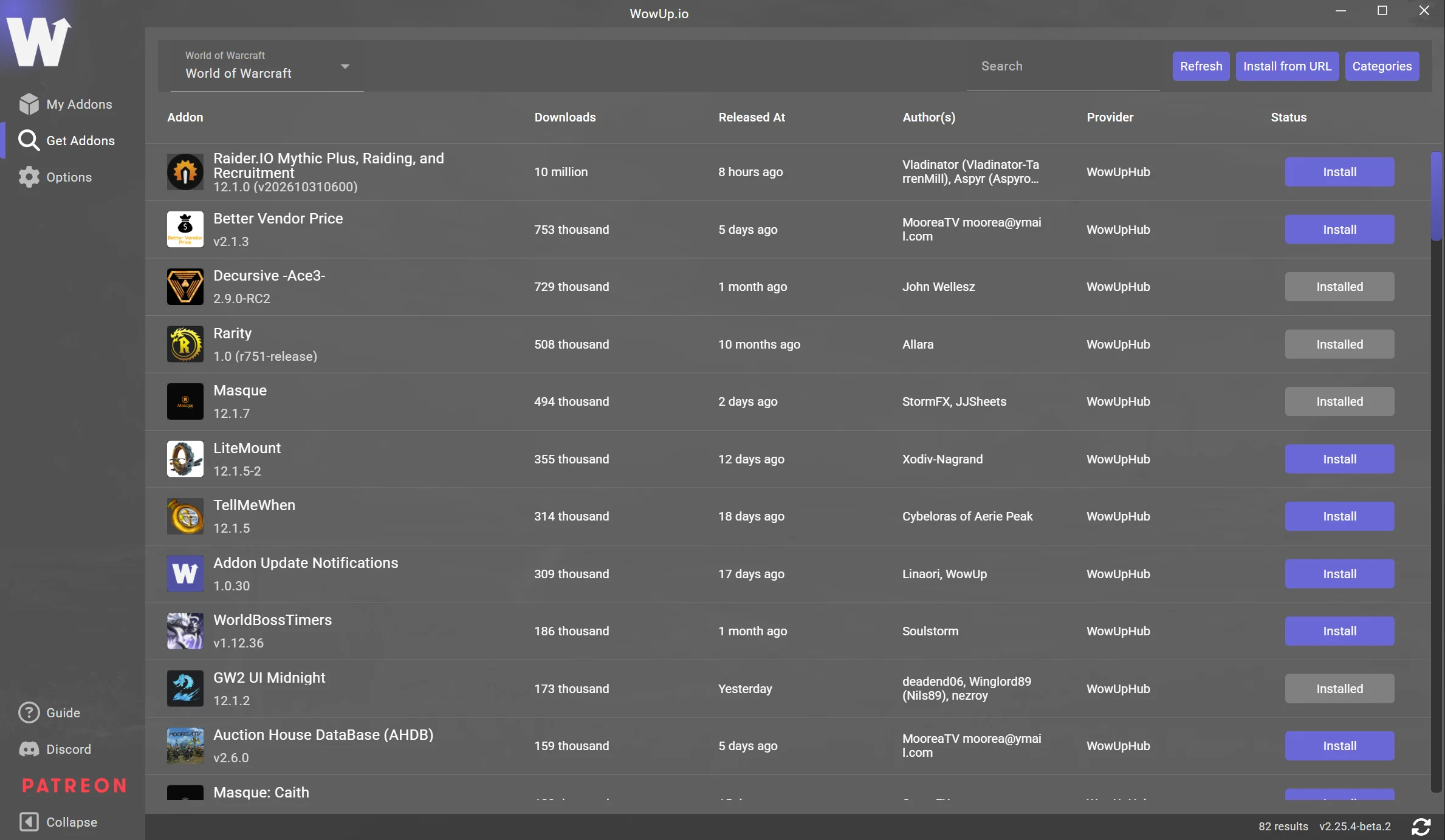
The example shows World of Warcraft; choose your WoW Forever installation. 02 / Import the repository
Paste the GitHub URL
Paste the copied link into Addon URL and click Import. Use the repository link, not the ZIP link, to keep updates working.
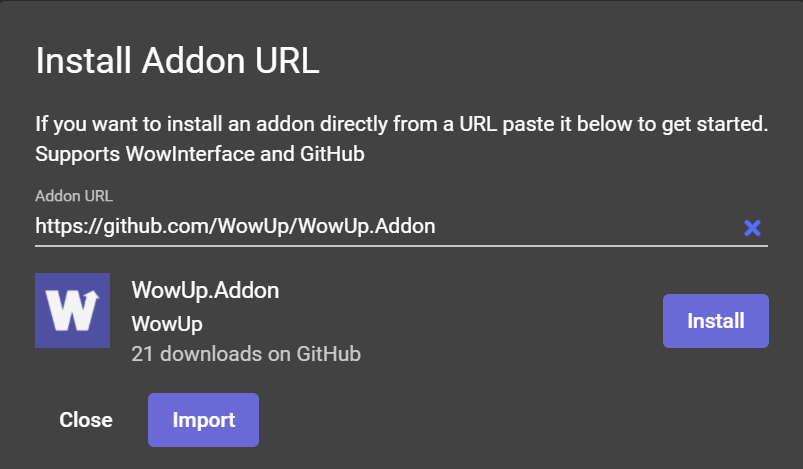
Replace the example URL shown here with the Nexus Quest Tools link above. 03 / Confirm and play
Click Install
When Nexus Quest Tools appears, click Install. Check that it appears under My Addons with WoW Forever selected. On first install, start or reopen WoW, enable the addon if needed, and type /nqt to open its settings.
Click Install on the Nexus Quest Tools result, not the example addon shown here.